Shards: Exchanges and Recycling
What it is
Combine shards for upgrades, or split them into lower rarities. Recycling gives shards by permanently removing a selected pet.
The workshop has 6 fixed exchange recipes. Its main screen shows only exchanges your inventory can currently afford. Open Workshop Guide to inspect every recipe, including recipes that are unavailable with your present balance. All exchange output is saved to Pet Delivery.
Quick facts
- Combine Common: 2 Common → 1 Uncommon
- Combine Uncommon: 4 Uncommon → 1 Rare
- Combine Rare: 4 Rare → 1 Epic
- Split Rare: 1 Rare → 4 Uncommon
- Split Epic to Rare: 1 Epic → 4 Rare
- Split Epic to Uncommon: 1 Epic → 16 Uncommon
- Common recycle base: 1 shards
- Uncommon recycle base: 1 shards
In-game pictures
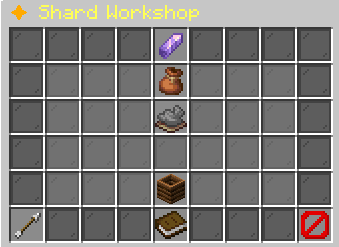
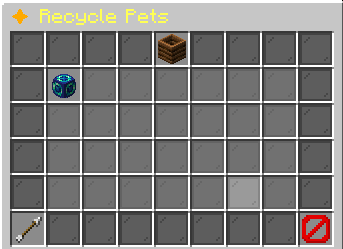
[in-game value] XP: +[in-game value]%
??? [UNCOMMON]Unlocks at Uncommon
??? [RARE]Unlocks at Rare
??? [EPIC]Unlocks at Epic
??? [LEGENDARY]Unlocks at Legendary
??? [MYTHIC]Unlocks at Mythic
Progress to Level [next level]: [progress]%[XP progress bar] [XP]/[XP required]
Recycle reward: [in-game value] [in-game value] ShardsRecycling permanently deletes this pet.Click to review before confirming.Example state · bracketed values depend on your game.BackReturn to the previous menu.CloseClose this menu.
Pictures show a captured example. Your pets, rewards and timers can change.
More in-game pictures (1)
More in-game pictures
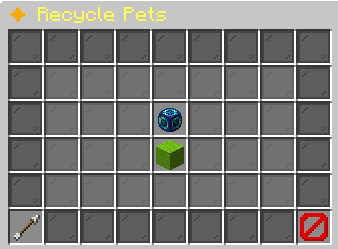
This cannot be undone.Example state · bracketed values depend on your game.Confirm RecyclePermanently deletes this pet.Receive: [in-game value] [in-game value] Shards.
Click to delete and receive shards.Example state · bracketed values depend on your game.BackReturn to the previous menu.CloseClose this menu.
How to start
Open /pets → Shard Workshop or use /pets shards. Read Your Shards to see carried Common, Uncommon, Rare, and Epic balances. Choose Open Workshop Guide to compare every Spend and Receive requirement. Return to Exchanges to perform an available recipe. A recipe click exchanges once. Repeated exchanges require enough shards for each use.
For recycling, use Recycle a Pet inside the workshop or Recycle Pets in the hub. Choose the pet and read its exact reward on the confirmation screen. Locked pets are excluded. The recycling selection uses collection pets, not loose decorative pet heads, and the chosen pet is permanently removed after successful confirmation.
Steps
Keep exchanges and deletion decisions separate in your mind. A conversion spends shards. Recycling spends the pet itself.
- Open Shard Workshop and inspect Your Shards.
- Open Workshop Guide to find the desired input and output recipe.
- Collect any needed shards from Pet Delivery into your inventory.
- Return to Exchanges and click the affordable recipe once.
- Collect the resulting shard output from Pet Delivery.
- If you want to recycle, open Recycle a Pet and choose an eligible pet.
- Read the exact shard reward and permanent-deletion warning before confirming.
Reference
The recipes operate on exact shard quantities. Combining toward Epic and splitting Epic back to Uncommon preserve the listed conversion steps, while Common has no reverse split recipe from Uncommon.
| Rule | Amount or requirement |
|---|---|
| Combine Common | 2 Common → 1 Uncommon |
| Combine Uncommon | 4 Uncommon → 1 Rare |
| Combine Rare | 4 Rare → 1 Epic |
| Split Rare | 1 Rare → 4 Uncommon |
| Split Epic to Rare | 1 Epic → 4 Rare |
| Split Epic to Uncommon | 1 Epic → 16 Uncommon |
| Common recycle base | 1 shards |
| Uncommon recycle base | 1 shards |
| Rare recycle base | 1 shards |
| Epic recycle base | 1 shards |
| Bonus interval | 25 levels |
| Legendary recycle base | 1 shards |
| Mythic recycle base | 1 shards |
When an exchange or recycling fails
An exchange button disappears when you do not hold enough input shards. If your inventory changes after opening the menu, the workshop checks again and tells you that your shards changed. Return to the guide, collect or obtain enough inputs, and reopen the exchange list. The guide explains missing quantities but does not spend shards by itself.
Pet selection can fail to load. Reopen the workshop to check eligible pets again. A locked pet cannot be recycled. If a pet becomes unavailable between selection and confirmation, do not select a substitute based on slot position alone. Reopen the list and verify its name and exact reward. Recycling a different pet cannot restore one you already deleted.
Worked example
Use your Pebble Whelp for this example.
You hold 4 Uncommon shards and want a Rare shard for an upgrade. The combine recipe spends those 4 Uncommon shards and saves 1 Rare shard to Pet Delivery. Collect that output before opening Rarity Upgrade. Leaving it in delivery does not supply the carried shard required by the quote.
For recycling, the level bonus is the pet’s level divided by 25, rounded down. Add that whole-interval bonus to the base shard count for its rarity. A pet exactly at that interval earns an additional shard. A pet just below the interval has not completed it, so the next bonus has not yet been earned.
Limits and rules
The workshop’s conversion recipes stop at Epic. It does not combine Epic into Legendary or Mythic rarity shards, and there is no Uncommon-to-Common split button. Read the complete recipe table instead of assuming every rarity has symmetric exchanges.
Recycling uses the pet’s current level for the bonus and its rarity for the shard selection. It is a permanent collection operation. Favorites and a pet’s display name do not turn deletion into temporary withdrawal. If you want to keep ownership while moving a pet out of the collection, read Withdrawing Pets instead of using Recycle. Exchange rewards and recycle rewards are collected through Pet Delivery.
Recycling a Legendary or Mythic pet yields Epic rarity shards. Its base shard count still follows the pet’s current rarity, with the ordinary completed-level-interval bonus added before payout. Check that exact reward on confirmation instead of expecting a Legendary or Mythic shard item.
Your questions
Why are some recipe buttons missing?
The main workshop displays only recipes affordable with your carried shards. Workshop Guide lists all recipes.
Does clicking the guide perform an exchange?
No. Return to Exchanges to spend shards.
Where did my converted shards go?
They are saved to Pet Delivery.
Can I split Uncommon into Common?
There is no such workshop recipe.
Can I combine Epic into Legendary?
The listed shard recipes stop at Epic.
Does recycling give the pet back later?
No. Successful recycling permanently deletes the selected pet.
Why did a level bonus not increase my reward?
Only completed available level intervals add bonus shards. The division rounds down.
Why is my pet missing from recycling?
Locked pets are excluded from eligible selection.