Talents
What it is
Open Pet Details > Choose Talents to see your pet’s branches. A confirmed choice is permanent, so read both branches first.
The tree currently records your choice without applying general combat, XP, breeding, raid, habitat or mastery bonuses. Passive Bond growth is also unavailable.
Quick facts
- First choice: level 25.
- Second choice: level 50.
- Third choice: level 75.
- Final choice: level 100.
- Confirm: click the same branch twice.
- Choices: permanent.
In-game pictures
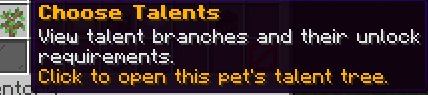
Pictures show a captured example. Your pets, rewards and timers can change.
How to start
Open Your Pets, shift-right-click the intended pet and choose Choose Talents. Read each branch's level requirement, name, description, type and value. A locked checkpoint becomes selectable only when that pet reaches the required level. An already selected checkpoint displays its chosen branch and locks the alternative.
The menu can show No talent available or Missing Branch. Those cells are informational and cannot be selected. There is no standard list of talent names guaranteed for every family. Read your particular tree instead of assuming another player's pet has identical choices.
Steps
- Open Pet Details for the correct pet and choose Choose Talents.
- Read the checkpoint level and both available branches.
- Confirm that the pet has reached the checkpoint's level and no branch is already chosen there.
- Click the branch you want, then read the permanent-choice confirmation message.
- Click that same branch again to confirm the choice.
- Check the selected state. Do not expect the opposite branch to remain available afterward.
Reference
Choose between the left and right branches when your pet reaches each listed level. Confirming a branch locks its alternative.
| Pet level | Your choice |
|---|---|
| 25 | Left or right branch, when present |
| 50 | Left or right branch, when present |
| 75 | Left or right branch, when present |
| 100 | Left or right branch, when present |
What can go wrong
The talent choice fails if the pet is not yours, its checkpoint does not exist, the required level is not reached, the branch is absent or a choice is already recorded. The selection does not charge a coin price. Clicking a different branch after the first selection changes the confirmation target rather than confirming the earlier branch.
Worked example
Use your Pebble Whelp for this example.
At level 25, inspect the first checkpoint. If both branches exist and no choice is recorded, click the desired branch, then click it again. The chosen branch displays Selected, while its alternative becomes Locked out. This recorded selection does not grant an extra active pet or an ability slot.
More to know
Only the level checkpoints shown in your pet’s tree can be selected. A missing branch cannot be chosen.
Talent descriptions currently do not grant general stat or XP bonuses. Make a permanent choice only after considering that limitation.
Your questions
How do I open the tree?
Use Your Pets > Pet Details > Choose Talents.
Why is a checkpoint empty?
No selectable branch is provided for that pet at that checkpoint.
Why is a branch locked?
Its level requirement is unmet or the alternative branch was already chosen.
Can I change my choice?
No. Player talent selection is permanent.
Does the first click finalize it?
No. Click the same branch again to confirm.
Does a talent guarantee a stat increase?
No. The current pet effect paths do not apply general talent bonuses.